
Wireless vs Wired Gaming Mouse – Which One Should You Choose?
Choosing between a wireless vs wired gaming mouse is one of the biggest comfort + performance decisions you can make in 2026. The best choice affects aim consistency, desk feel, cable drag, charging habits, and even long-session fatigue. The good news: modern wireless is extremely fast — but a wired gaming mouse still wins for simplicity and zero battery hassle.
Quick Connection Check
- Want the cleanest feel? A wireless gaming mouse removes cable drag completely.
- Hate charging? A wired gaming mouse is always ready, always consistent.
- Playing FPS? A good 2.4GHz wireless mouse is now essentially “wired-level” latency.
Still unsure whether to go wireless or wired?
Use Mouse Finder to filter by connection, hand size, grip style and game type
Answer a few quick questions and get a fit-based shortlist — no endless scrolling, no guessing.
Takes ~30 seconds. Built around fit + practical specs.
The Core Difference: Wireless vs Wired Gaming Mouse
The core difference in a wireless vs wired gaming mouse comparison is how power and signal are delivered. A wired gaming mouse uses a cable for power + data. A wireless gaming mouse uses a receiver (usually 2.4GHz) and a battery. In 2026, both can be top-tier — but the experience in-hand is still very different.
Wireless gaming mouse
- No cable drag
- Cleaner desk setup
- Battery-powered (recharge)
- Modern latency is extremely low
Wired gaming mouse
- No charging ever
- Often cheaper
- Consistent plug-and-play
- Cable can add slight resistance
For most gamers, the best wireless vs wired gaming mouse choice is about convenience + desk feel — not raw performance.
Wireless vs Wired Gaming Mouse Latency: Is Wireless “Slow”?
Latency is the biggest myth in the wireless vs wired gaming mouse debate. Years ago, wireless could feel delayed. Today, high-quality 2.4GHz wireless gaming mice are effectively “wired-level” for real gameplay. If you use Bluetooth-only mice, that can still feel slower — but competitive wireless models are built specifically to avoid that.
- 2.4GHz wireless is the standard for gaming (fast + stable).
- Bluetooth is usually for convenience, not competitive performance.
- Sensor quality + shape fit often matter more than cable vs wireless.
If you’re unsure, Mouse Finder lets you filter by wired, wireless, or both and then match hand size + grip style.
Wireless vs Wired Gaming Mouse: Pros and Cons
Wireless Gaming Mouse: Pros and Cons
Advantages of a Wireless Gaming Mouse
- No cable drag = smoother tracking and flicks
- Cleaner feel for low-sensitivity FPS
- Less desk friction and cable noise
- Great for minimalist setups
Disadvantages of a Wireless Gaming Mouse
- You must charge it (battery management)
- Often more expensive than wired
- Battery adds a small amount of complexity
In most wireless vs wired gaming mouse situations, wireless “feels” better — if you don’t mind charging.
Wired Gaming Mouse: Pros and Cons
Advantages of a Wired Gaming Mouse
- No charging ever — always ready
- Often better value
- Perfect for long daily use
- Simple, reliable, predictable
Disadvantages of a Wired Gaming Mouse
- Cable drag can affect micro-adjustments
- Less clean desk setup
- Can snag without a bungee
Best Wireless Gaming Mouse Picks
These are two excellent choices if you want the cleanest feel in a wireless vs wired gaming mouse decision. Wireless gives you freedom and smooth movement — especially noticeable in FPS tracking.
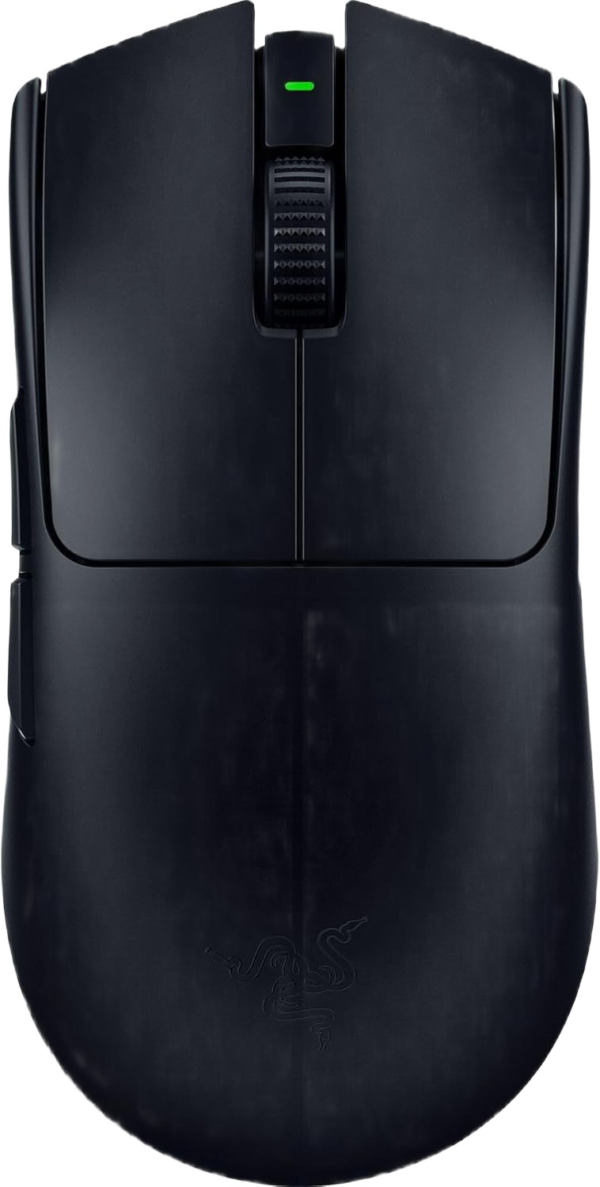
Razer Viper V3 Pro
Best overall wireless performance
Ultra-light and competition-focused. A great example of why modern wireless gaming mouse performance is now at the top tier for FPS tracking and flick consistency.
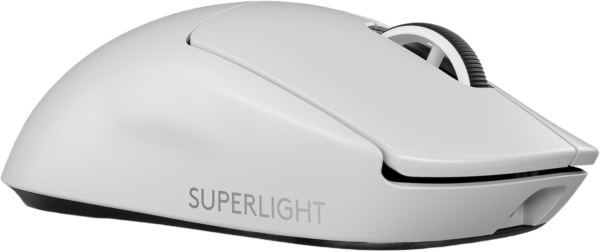
Logitech G PRO X Superlight 2
Safest wireless all-rounder
A balanced, widely-loved shape with stable wireless and a lightweight feel. If you want a safe pick in the wireless vs wired gaming mouse debate, this is it.
Best Wired Gaming Mouse Picks
Wired is still the simplest answer in a wireless vs wired gaming mouse choice: no charging, no battery, just consistent use. These two wired picks deliver excellent performance without wireless maintenance.
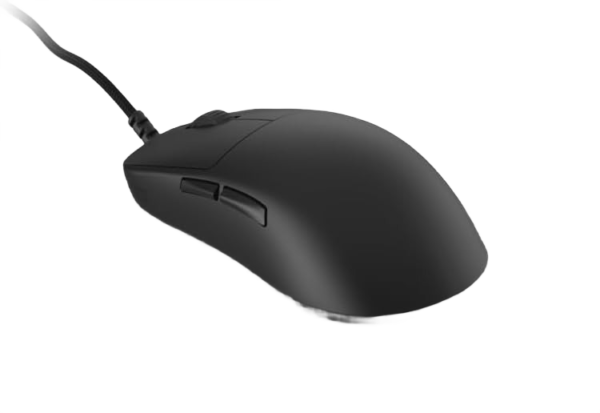
Endgame Gear OP1 8K (v2)
Best wired FPS precision
Extremely responsive-feeling with a “locked in” wired connection. If you want maximum consistency and never want to charge, this wired gaming mouse is a standout.
Roccat Kone Pro
Best value wired option
Comfortable ergonomic shape with reliable wired performance. A strong “value” pick if you prefer a wired gaming mouse in the wireless vs wired gaming mouse decision.

Which Is Better: Wireless or Wired Gaming Mouse?
Choose a wireless gaming mouse if:
- You want the cleanest feel (no cable drag)
- You play low sensitivity FPS
- You want a minimalist desk setup
- You don’t mind charging
Choose a wired gaming mouse if:
- You never want to charge
- You want a lower upfront price
- You value simplicity and reliability
- You use (or can use) a mouse bungee
In 2026, a premium wireless gaming mouse is no longer “worse” than wired — the best wireless vs wired gaming mouse choice is about convenience and desk feel.
How to Choose (Without Guessing)
- Pick your connection: wired for zero charging, wireless for zero cable drag.
- Match fit: hand size + grip style matter more than brand.
- Match game type: FPS tracking often benefits from wireless freedom.
- When unsure, get a shortlist in Mouse Finder.
Want the fastest shortcut? Use Mouse Finder and filter by wired or wireless to get the best matches for your hand and grip.
FAQ – Wireless vs Wired Gaming Mouse
Is a wireless gaming mouse good for FPS?
Yes. High-quality 2.4GHz wireless gaming mice are extremely fast and stable. For most players, wireless performs like wired.
Does wireless add input lag?
Not on good 2.4GHz gaming models. Bluetooth can feel slower, but competitive wireless mice are designed to minimize delay.
Is wired more reliable than wireless?
Wired eliminates battery concerns. Wireless is also reliable if you use the included dongle and keep firmware up to date.
What’s the best way to decide wireless vs wired?
Decide based on charging tolerance and desk feel — then use Mouse Finder to match your connection choice with hand size and grip style.
Final Verdict
The best wireless vs wired gaming mouse is the one that keeps your aim consistent and your setup friction-free. If you want the cleanest movement, go wireless. If you want zero maintenance, go wired.
Unsure? Start with connection preference — then get a fit-based shortlist via Mouse Finder.
