
Large vs Small Gaming Mouse – What’s Better?
Choosing between a large vs small gaming mouse is one of the most important decisions you can make for comfort, accuracy, and long-term performance in 2026. Mouse size affects everything from aim stability to hand fatigue — yet many gamers still choose the wrong size simply because a mouse is popular.
Quick Size Check
- Hand size first: if the mouse feels too short, you’ll curl your fingers and lose control.
- Grip match: palm/claw usually need more length + rear support; fingertip can go smaller.
- FPS rule: low sens + tracking tends to favor a larger, more stable mouse shape.
Still unsure which mouse size fits your hand?
Use Mouse Finder to get a fit-based shortlist (hand size + grip + game type)
Answer a few quick questions and we’ll narrow it down to the best matches — no endless scrolling, no guessing.
Get my recommendations → Takes ~30 seconds. Built around fit, not hype.
The Core Difference: Large vs Small Gaming Mouse
The core difference in a large vs small gaming mouse comparison is how much of your hand the mouse supports. A large gaming mouse gives you more palm contact and finger “resting room.” A small gaming mouse reduces contact and can feel faster to lift, but it demands more fingertip and finger control to stay stable.
Large gaming mouse
- More palm + rear support
- More relaxed finger reach
- Often more stable for tracking
- Better for long sessions
Small gaming mouse
- Minimal contact feel
- Easier to lift & reposition
- Often preferred for fingertip
- Can feel cramped in big hands
Neither is “better” by default — the best large vs small gaming mouse choice depends on hand size, grip style, and your main game type.
Large Gaming Mouse: Pros and Cons
✅ Advantages of a Large Gaming Mouse
- Better palm support
- More relaxed finger positioning
- Improved stability and control
- Less strain during long sessions
In most large vs small gaming mouse scenarios, a large gaming mouse is the safer choice for large hands or anyone who feels cramped on compact shapes.
❌ Disadvantages of a Large Gaming Mouse
- Can feel slower for pure fingertip-only users
- Often slightly heavier or “fuller” in-hand
- Less agile for extremely high sensitivity players
Small Gaming Mouse: Pros and Cons
✅ Advantages of a Small Gaming Mouse
- Easier to lift and reposition
- Feels fast for fingertip grip
- Often lighter
If you’re deciding large vs small gaming mouse for small hands, a small mouse often feels more natural — especially if you play high sens or lift the mouse frequently.
❌ Disadvantages of a Small Gaming Mouse
- Poor palm support for larger hands
- Increased finger strain over time
- Less stability at low sensitivity tracking
- Higher risk of wrist discomfort if you “death grip”
Many gamers use small mice without realizing they’re compensating with unnecessary hand tension.
Hand Size: The #1 Factor in Large vs Small Gaming Mouse Choice
Hand size should come before weight, brand, or popularity. If you want the best outcome from a large vs small gaming mouse decision, start here.
General guideline:
- Large hands: large or longer mouse
- Small hands: smaller or shorter mouse
- Medium hands: depends on grip style
If a mouse forces your fingers to curl unnaturally or your palm can’t rest comfortably, it’s likely the wrong size.
Still unsure whether a large or small gaming mouse fits your hand best? Use Mouse Finder to get a personalized recommendation based on your hand size, grip style, and gaming preferences.
Grip Style: How You Hold the Mouse Matters
Grip style can change the “winner” in any large vs small gaming mouse comparison. A mouse can be the right length and still feel off if the hump/rear support doesn’t match your grip.
Palm Grip
Palm grip typically works best with a large gaming mouse because you need full palm and finger support. Small mice often cause tension and cramped reach in long sessions.
Claw Grip
Claw grip often prefers medium-to-large shapes with a defined rear hump. Too small can feel unstable; too large can feel hard to micro-adjust. Fit matters more than brand.
Fingertip Grip
Fingertip grip often prefers smaller, lighter mice — but it still needs enough length for stability. Ultra-short mice can feel twitchy for tracking, especially in FPS.
Gaming Performance: Does Mouse Size Affect Aim?
Yes — indirectly. The right large vs small gaming mouse fit improves consistency, reduces overcorrection, and lowers fatigue. The wrong fit forces compensation (extra grip tension), which hurts aim over time.
- Better fit = more consistent micro-adjustments
- Less tension = fewer shaky corrections
- More stability = better tracking at low sensitivity
Large vs Small Gaming Mouse for FPS Games
For FPS, the “feel” difference between a large vs small gaming mouse becomes obvious. Your sensitivity and aim style decide which size gives you the most control.
Large mouse (FPS)
- Better control at low sensitivity
- More stable tracking
- Often preferred by arm-aim players
Small mouse (FPS)
- Faster flick feel at high sensitivity
- Easier lift-off & reposition
- Less stable for long tracking
FPS players with large hands often perform better with a larger or longer mouse — even if it’s lightweight. If you’re unsure, Mouse Finder is the quickest way to match size + grip + FPS style.
Lightweight vs Size: A Common Mistake
Many players choose a mouse because it’s “lightweight” but ignore size. A lightweight mouse that’s too small will often feel unstable compared to a slightly heavier mouse that fits properly.
Rule of thumb: speed comes from control — not just lower grams.
Best Large Gaming Mouse Picks (Stable, Comfortable)
If your hand feels cramped on compact mice, these are strong “large” picks in a large vs small gaming mouse decision — supportive shapes with competitive performance.
Razer DeathAdder V4 Pro
Best overall large fit (comfort + stability)
A rare combo: full ergonomic support with a lightweight feel. Excellent for large hands that want stable aim without sacrificing speed — especially for FPS and long sessions.
View on Amazon
Razer Viper V3 Pro
Best for FPS aim & tracking (large-friendly)
Lightweight and fast with a competition-first feel. If you want quick micro-adjustments and clean flicks but still need a mouse that doesn’t feel tiny, this is a great pick.
View on Amazon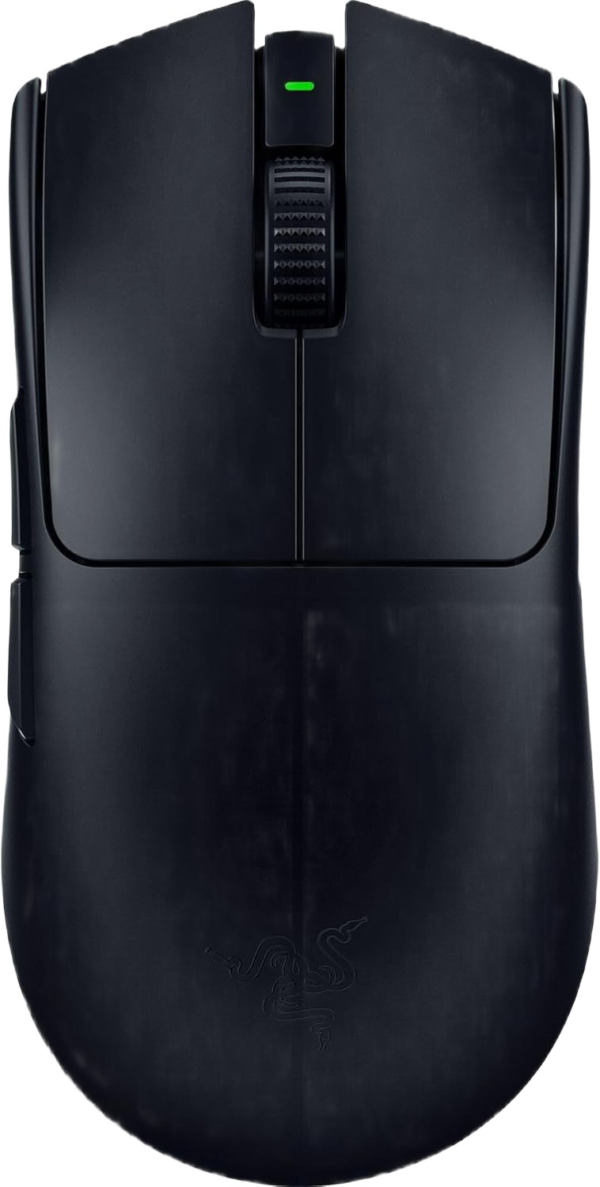
Logitech G PRO X Superlight 2
Safest all-round pick (size + balance)
A “safe shape” for many large-hand claw and fingertip users. Balanced, consistent, and easy to adapt to — a reliable choice if you want lightweight without shape surprises.
View on Amazon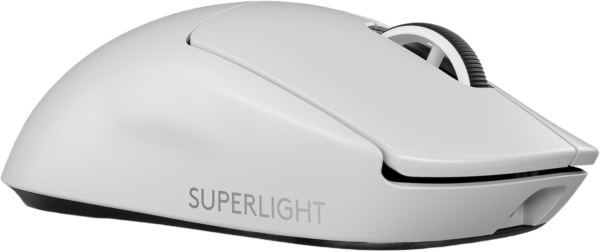
Roccat Kone Pro
Best value “full in hand” feel
If you want a mouse that feels supportive in larger hands without feeling slow, the Kone Pro is a strong value pick for comfortable, stable sessions.
View on Amazon
Best Small Gaming Mouse Picks (Fast, Agile)
These “small” picks are great when you want minimal contact and quick repositioning. In a large vs small gaming mouse decision, they represent the best reasons to go smaller: speed, lift-off, and fingertip-friendly control.
Endgame Gear OP1 8K (v2)
Best small pick for FPS precision
Compact and extremely responsive-feeling for fingertip/claw control. If you want a small gaming mouse that still feels “locked in” for flicks and micro-corrections, this is a standout.
View on Amazon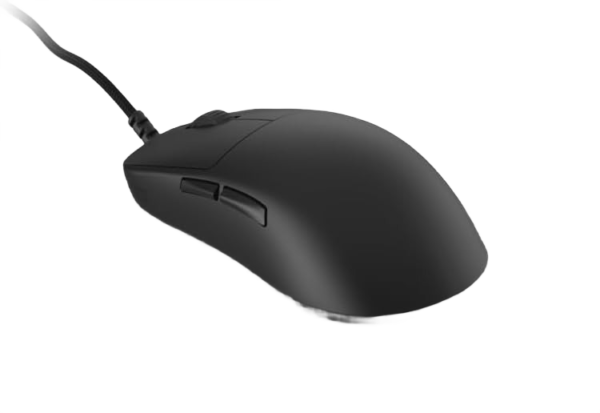
Pulsar X2 Mini
Best small wireless for claw/fingertip
A clean, compact shape that feels fast to reposition and easy to control with fingertip or aggressive claw. Great if you want the small-mouse feel without going ultra-short.
View on Amazon
Lamzu Atlantis Mini
Best small claw feel (FPS)
Compact with a confident claw-friendly shape. If you want the agility of a small gaming mouse but still need stable rear support, this is a strong option.
View on Amazon
Razer Orochi V2
Best ultra-compact option (portable)
Very short and nimble. Best for truly small hands or pure fingertip players who want maximum lift-and-reset speed. If you have medium/large hands, it can feel too small for stable tracking.
View on Amazon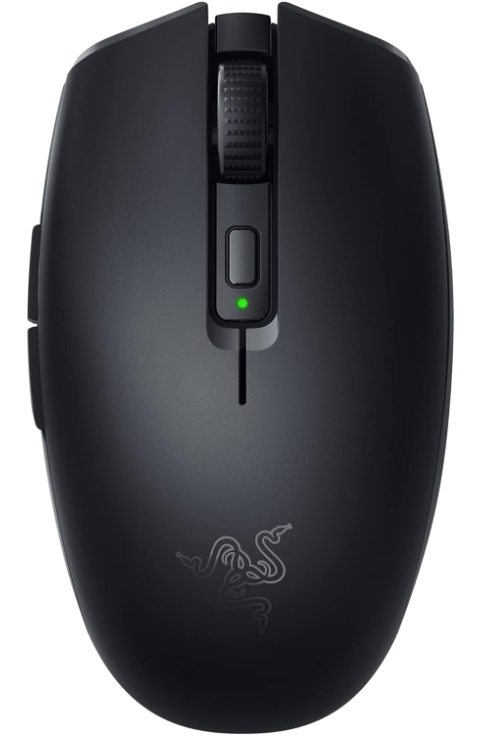
Which Is Better: Large or Small Gaming Mouse?
Choose a large gaming mouse if:
- You have large hands
- You use palm or claw grip
- You play long sessions
- Comfort and stability matter
Choose a small gaming mouse if:
- You have small hands
- You use fingertip grip
- You play at high sensitivity
- You prioritize speed over support
A simple way to settle a large vs small gaming mouse decision: if you constantly re-grip to feel stable, the mouse is likely the wrong size.
How to Choose the Right Size (Without Guessing)
- Measure your hand length (wrist crease to tip of middle finger).
- Identify your grip (palm / claw / fingertip).
- Match size first, then refine by game type and features.
- If you’re between sizes, pick the mouse that feels more natural and relaxed in long sessions.
👉 Want the fastest path to the right fit? Use Mouse Finder and get a short, personalized recommendation instead of scrolling endless lists.
FAQ – Large vs Small Gaming Mouse
Is a large gaming mouse better for FPS?
Often, yes — especially for low sensitivity and tracking-heavy aim. A larger mouse can provide more stability and reduce finger strain. But if you play high sens and prefer fingertip control, a small gaming mouse can feel faster.
Can I use a small mouse with large hands?
You can, but many players compensate with curled fingers and extra tension. If you notice cramps, wrist discomfort, or inconsistent tracking, a longer mouse is usually the fix.
What’s the best way to decide between a large vs small gaming mouse?
Hand size first, then grip style. If you want the shortest path, use Mouse Finder to filter by hand size + grip and get a fit-based shortlist.
Does weight matter more than size?
For most players, no. A lightweight mouse that’s too small often feels unstable. A slightly heavier mouse that fits your hand usually performs better and feels more controlled over time.
Final Verdict
There is no universal “best” size — but there is a best choice for you. In a large vs small gaming mouse comparison, the winner is the mouse that keeps your hand relaxed and your aim consistent.
- Large hands + small mouse often leads to discomfort and inconsistency.
- Small hands + large mouse can feel harder to control and slower to reposition.
If you’re unsure, start with hand size, then match grip style and game type. And if you want the fastest shortcut, use Mouse Finder to get a fit-based shortlist in ~30 seconds.
