
Best TKL Keyboard for Gaming 2026: 6 Picks for Speed, Space and Control
The best TKL keyboard for gaming gives you more mouse space than a full-size board while keeping the keys most gamers still use: function row, arrow keys, and a proper navigation cluster.
This guide focuses on TKL keyboards that make sense for real gaming setups: competitive speed, low-latency wireless, compact desk comfort, reliable switches, RGB, software support, and enough build quality to feel consistent during long sessions.
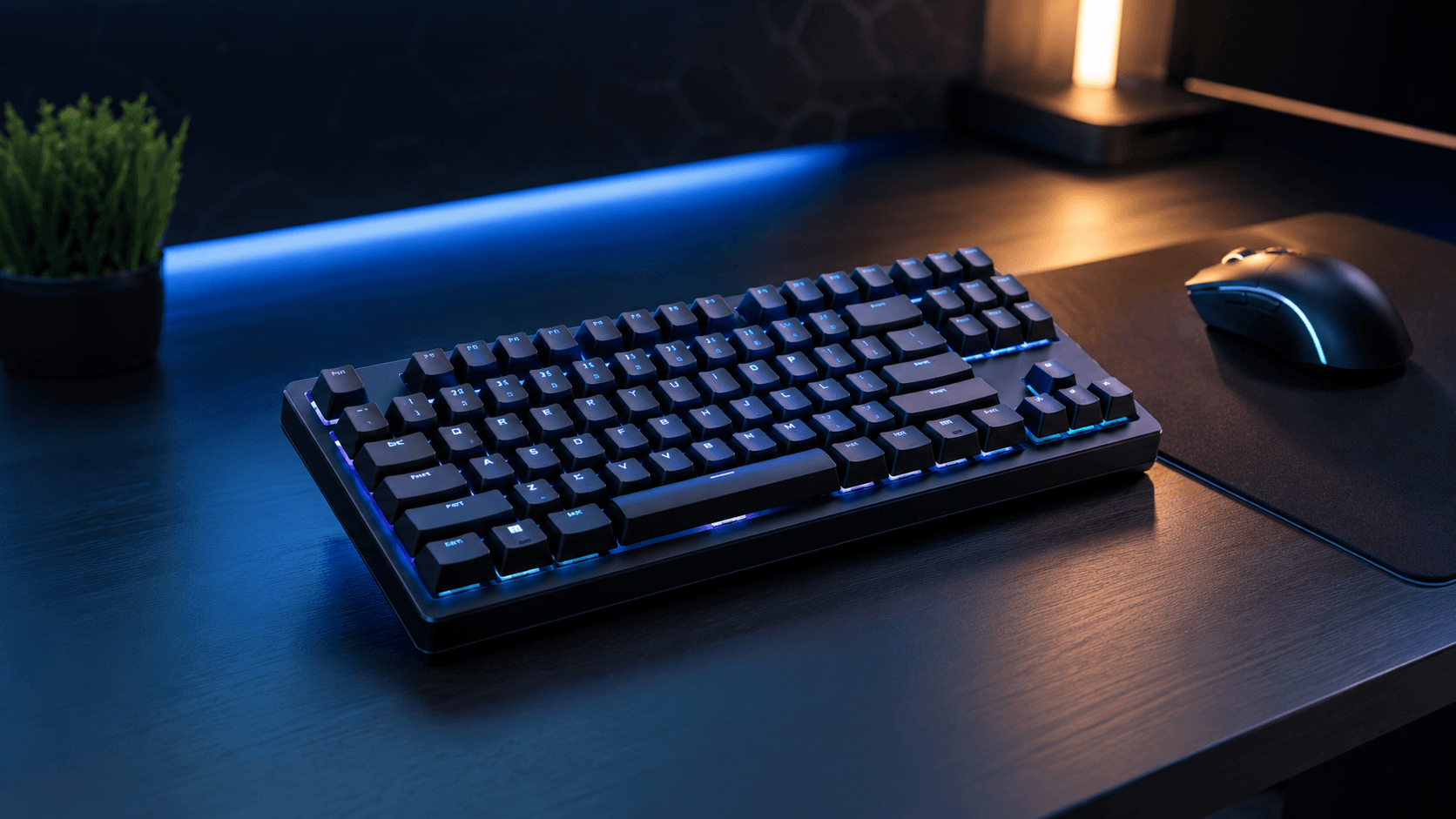
The Fast Answer
For most competitive players, the best TKL keyboard for gaming is the SteelSeries Apex Pro TKL. It has fast adjustable switches, a compact tenkeyless footprint, strong software, and the kind of responsive feel that makes sense for FPS and esports games.
Choose the Logitech G915 TKL Lightspeed for premium wireless low-profile gaming. Choose the Keychron K8 Pro for the best all-round TKL mechanical keyboard. Choose the SteelSeries Apex 9 TKL for optical-switch speed. Choose the Redragon K671KS for budget wireless, or the Logitech G413 TKL SE for a clean budget tactile board.
Not sure which TKL keyboard fits your games?
Keyboard Finder helps you compare layout, switch feel, connection, noise level, gaming use, and budget. It is the fastest way to narrow down the best TKL keyboard for gaming without guessing from specs alone.
Get my keyboard match → Takes about 30 seconds · No signup
Best TKL Keyboard for Gaming – 2026 Picks
These picks are chosen for gaming first: fast input feel, strong build quality, compact desk space, switch quality, software support, and practical value. The best TKL keyboard for gaming should give you room for your mouse without forcing you into a tiny 60% layout.
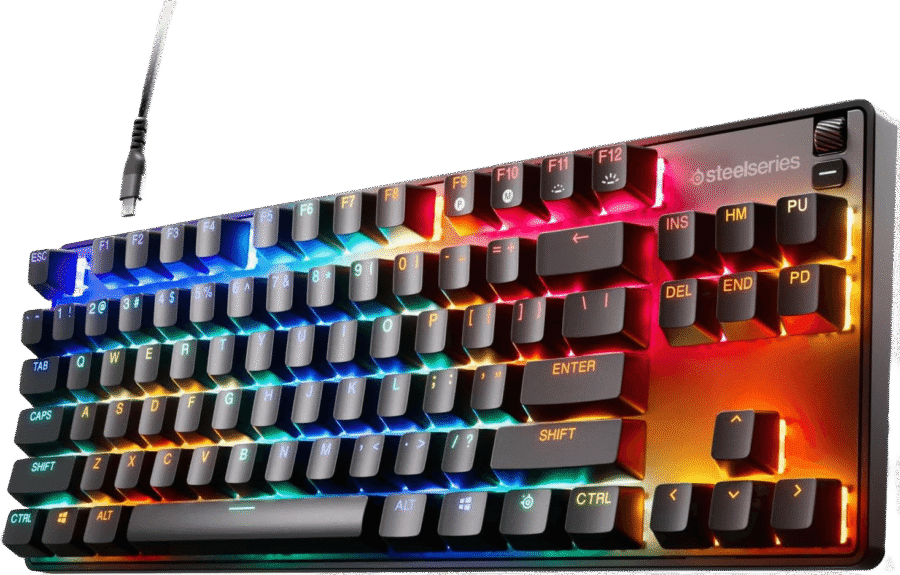
SteelSeries Apex Pro TKL
Esports-grade TKL keyboard with adjustable OmniPoint switches
Verdict: The best TKL keyboard for gaming for competitive players who want fast response, adjustable feel, and a premium esports setup.
- Best for: FPS, competitive gaming, fast inputs, and players who like tuning actuation.
- Why it works: adjustable OmniPoint switches, compact TKL layout, strong software, and a high-end gaming feel.
- Skip if: you want wireless or a quieter office-first keyboard.
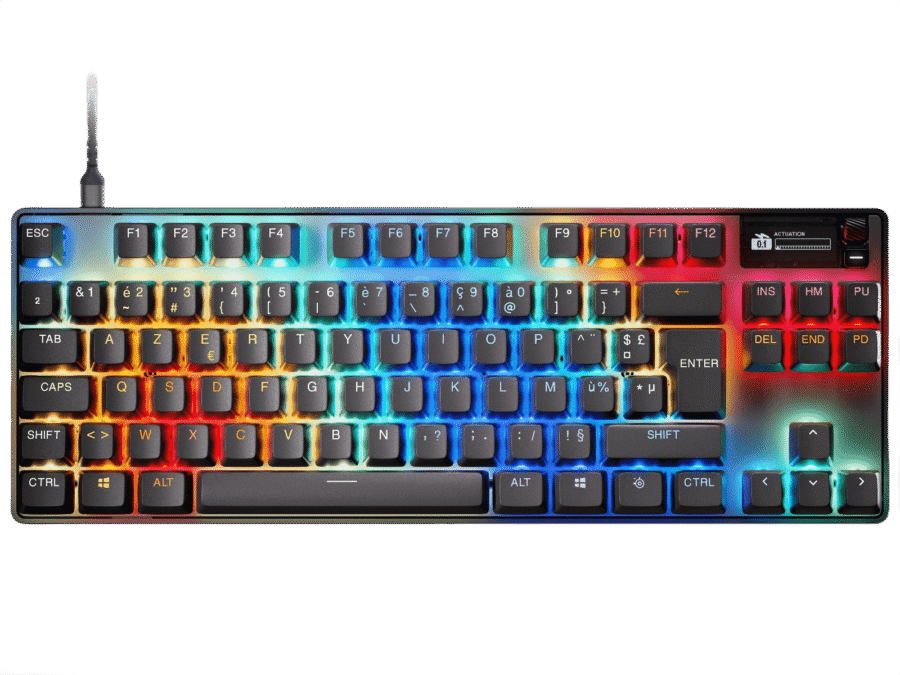
Logitech G915 TKL Lightspeed
Premium wireless low-profile TKL keyboard for clean gaming setups
Verdict: The best TKL keyboard for gaming if you want wireless freedom, low-profile speed, and a premium desk feel.
- Best for: wireless gaming, clean setups, low-profile typing, and mixed gaming/work desks.
- Why it works: LIGHTSPEED wireless, low-profile switches, TKL footprint, and strong Logitech software.
- Skip if: you want hot-swap switches or a lower price.

Keychron K8 Pro
Wireless TKL mechanical keyboard with hot-swap and QMK/VIA support
Verdict: The best TKL keyboard for gaming if you want a more flexible mechanical keyboard that also works well for coding and office use.
- Best for: mixed gaming, coding, typing, customization, and users who want one board for everything.
- Why it works: TKL layout, wireless support, hot-swap sockets, QMK/VIA support, and a strong typing feel.
- Skip if: you only care about pure esports speed and adjustable actuation.

SteelSeries Apex 9 TKL
Fast optical-switch TKL keyboard for esports-focused gaming
Verdict: A strong best TKL keyboard for gaming contender for players who want optical switch speed without going to a tiny board.
- Best for: fast-paced FPS, competitive games, esports setups, and quick key resets.
- Why it works: optical switches, TKL shape, solid software ecosystem, and gaming-first design.
- Skip if: you want wireless or a quieter work keyboard.
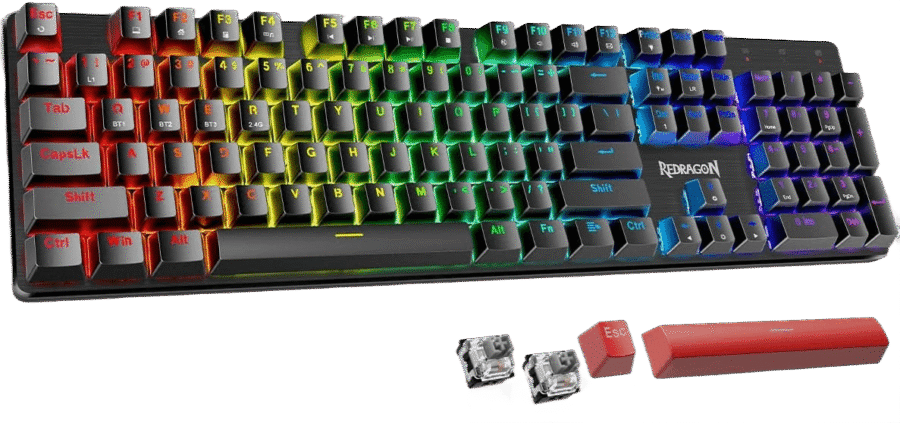
Redragon K671KS
Budget tri-mode TKL gaming keyboard with RGB and wireless support
Verdict: The best TKL keyboard for gaming if you want wireless, RGB, and a lower price without moving to a full-size board.
- Best for: budget gaming, wireless setups, casual FPS, MOBA, and compact desks.
- Why it works: TKL layout, tri-mode connection, RGB, and a gaming-focused design at a lower price.
- Skip if: you want premium software, QMK/VIA, or a high-end typing feel.
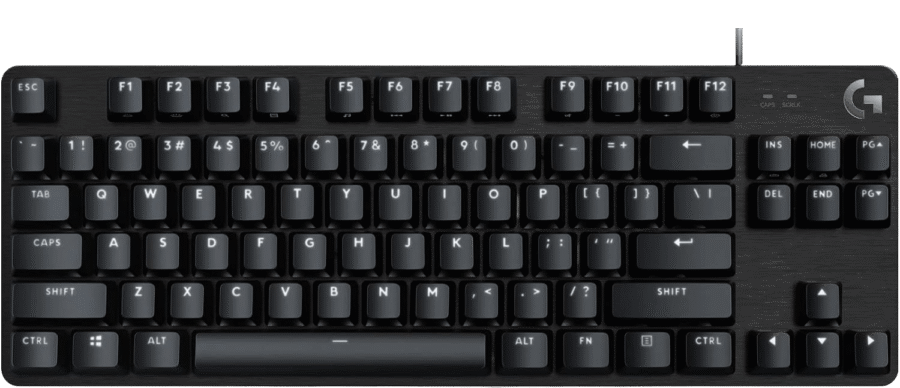
Logitech G413 TKL SE
Clean wired TKL gaming keyboard with tactile switches and sturdy build
Verdict: The best TKL keyboard for gaming for players who want a simple tactile wired board without paying for premium extras.
- Best for: budget gaming, tactile typing, clean setups, and players who do not need RGB.
- Why it works: compact TKL layout, tactile switches, wired reliability, and a sturdy aluminum top plate.
- Skip if: you want wireless, hot-swap, or advanced gaming software.
Still choosing between competitive, wireless and budget TKL?
Use Keyboard Finder to match layout, switch feel, connection, noise level, and budget before buying.
Find my best keyboard → Better than guessing from RGB and specs
TKL Gaming Keyboard Comparison
The best TKL keyboard for gaming depends on whether you care most about response speed, wireless freedom, switch feel, budget, or all-round use.
| Keyboard | Best for | Connection | Switch feel | Why it stands out |
|---|---|---|---|---|
| SteelSeries Apex Pro TKL | Best overall competitive pick | Wired | Linear | Adjustable actuation and esports-grade response |
| Logitech G915 TKL Lightspeed | Best wireless premium pick | Wireless | Linear | Low-profile LIGHTSPEED wireless gaming |
| Keychron K8 Pro | Best all-round mechanical TKL | Wireless | Tactile | Hot-swap, QMK/VIA, and flexible daily use |
| SteelSeries Apex 9 TKL | Best optical-switch speed | Wired | Linear | Fast optical switches for esports setups |
| Redragon K671KS | Best budget wireless TKL | Wired / Wireless | Linear | Tri-mode connection and RGB at a lower price |
| Logitech G413 TKL SE | Best budget tactile TKL | Wired | Tactile | Simple, sturdy, and focused on core gaming basics |
Why TKL Is Great for Gaming
TKL keyboards remove the numpad, which makes your keyboard narrower and gives your mouse more room. That matters for FPS, low-sensitivity aim, and any setup where a full-size board pushes your mouse too far to the right. The best TKL keyboard for gaming keeps useful keys while avoiding full-size width.
More mouse space
Removing the numpad gives you more room for flicks, tracking, and lower sensitivity without moving to a tiny keyboard.
Still keeps important keys
Unlike 60% or 65%, TKL keeps the function row, arrows, and navigation cluster for shortcuts and in-game binds.
Easy transition from full-size
TKL feels familiar because the layout is basically full-size without the numpad.
Good for mixed use
TKL works well for gaming, school, coding, work, and general typing without too many layout compromises.
How to Choose the Best TKL Keyboard for Gaming
Start with your main game type. Competitive FPS players should prioritize fast switches and a stable wired or low-latency wireless connection. MMO and mixed-game players may care more about extra binds, software, and comfort. The best TKL keyboard for gaming changes depending on how you play.
Choose speed for competitive FPS
- Look for fast linear or optical switches.
- Prioritize stable input feel over typing sound.
- Strong picks: SteelSeries Apex Pro TKL and Apex 9 TKL.
Choose wireless for clean setups
- Low-latency wireless is excellent now.
- Great for minimalist desks and shared work/gaming setups.
- Strong pick: Logitech G915 TKL Lightspeed.
Choose hot-swap for long-term value
- Hot-swap lets you change switches later.
- Good for users who game and type a lot.
- Strong pick: Keychron K8 Pro.
Choose budget if you need the basics
- A cheaper TKL can still give you more mouse space.
- Focus on layout, feel, and reliability first.
- Strong picks: Redragon K671KS and Logitech G413 TKL SE.
Wired vs wireless TKL gaming keyboards
Wired keyboards are simple, reliable, and usually better value. Wireless TKL keyboards are cleaner and easier to place on the desk, especially if you also work from the same setup. The best TKL keyboard for gaming can be either wired or wireless as long as the connection is stable and the switches feel right.
Linear vs tactile switches for gaming
Linear switches are usually better for fast gaming because they feel smooth and easy to press. Tactile switches are better when you want more feedback for typing and mixed use. Clicky switches can work, but they are often loud and less ideal for shared spaces.
Which TKL Gaming Keyboard Should You Pick?
For competitive FPS
Choose the SteelSeries Apex Pro TKL for adjustable speed, or the SteelSeries Apex 9 TKL for optical-switch response.
For wireless gaming
Choose the Logitech G915 TKL Lightspeed. It is premium, low-profile, clean, and built around wireless gaming.
For gaming and typing
Choose the Keychron K8 Pro. It is the strongest all-round TKL pick when gaming is important but typing still matters.
For budget wireless
Choose the Redragon K671KS. It gives you a TKL footprint, RGB, and wireless flexibility at a lower price.
For budget tactile feel
Choose the Logitech G413 TKL SE. It is simple, wired, sturdy, and avoids paying for extras you may not use.
For low-profile desk comfort
Choose the Logitech G915 TKL Lightspeed if you want a flatter typing angle and a cleaner gaming/work setup.
Common TKL Gaming Keyboard Mistakes
- Buying full-size by habit: most gamers do not need the numpad, and it takes valuable mouse space.
- Choosing tiny layouts too quickly: 60% and 65% save more space, but TKL is usually easier to live with.
- Ignoring switch feel: the layout matters, but switches decide how the keyboard feels in real games.
- Overpaying for RGB: software, switch quality, and build feel matter more than lighting.
- Forgetting noise: clicky or loud switches can be annoying for shared rooms, streaming, and late-night gaming.
FAQ – Best TKL Keyboard for Gaming
Quick answers before choosing the best TKL keyboard for gaming for your setup.
What is the best TKL keyboard for gaming overall?
The SteelSeries Apex Pro TKL is the best overall pick here because it combines adjustable switches, fast gaming response, a compact TKL layout, and strong esports-focused software.
Is TKL good for gaming?
Yes. TKL is excellent for gaming because it removes the numpad and gives your mouse more space while keeping function keys, arrow keys, and the navigation cluster.
Is TKL better than 75% for gaming?
TKL is better if you want a familiar layout and separated navigation keys. 75% is better if you want more mouse space and a more compact desk setup.
What is the best wireless TKL keyboard for gaming?
The Logitech G915 TKL Lightspeed is the best wireless pick on this page because it has low-latency wireless, low-profile switches, premium build quality, and a clean gaming setup.
What is the best budget TKL keyboard for gaming?
The Redragon K671KS is the best budget wireless pick, while the Logitech G413 TKL SE is the best simple wired tactile option.
Should I choose wired or wireless for a TKL gaming keyboard?
Wired is usually the best value and simplest option. Wireless is better for a cleaner setup, cable-free desk, and mixed work/gaming spaces.
Bottom Line
The best TKL keyboard for gaming gives you more mouse space than full-size while keeping the keys most players still want. Choose the SteelSeries Apex Pro TKL for the strongest competitive pick, the Logitech G915 TKL Lightspeed for premium wireless, the Keychron K8 Pro for all-round mechanical value, the SteelSeries Apex 9 TKL for optical-switch speed, the Redragon K671KS for budget wireless, or the Logitech G413 TKL SE for simple budget tactile gaming.
A TKL keyboard is the safest gaming layout for many players because it gives you real desk space without forcing you into heavy layer shortcuts. Need a faster answer? Use Keyboard Finder.
Affiliate disclosure: As an Amazon Associate, Gripyx earns from qualifying purchases.
