
Best Wireless Keyboard for Work 2026: 6 Picks for Comfort, Focus and Productivity
The best wireless keyboard for work should make your desk cleaner, your typing easier, and your daily workflow smoother. For work, the right keyboard is not just about being wireless. It needs comfort, quiet typing, reliable connection, useful layout, and enough battery life to stay out of your way.
This guide compares wireless keyboards for office work, hybrid setups, coding, spreadsheets, laptop use, quiet spaces, and compact desks. The goal is simple: help you find the best wireless keyboard for work without buying a keyboard that looks nice but slows you down.
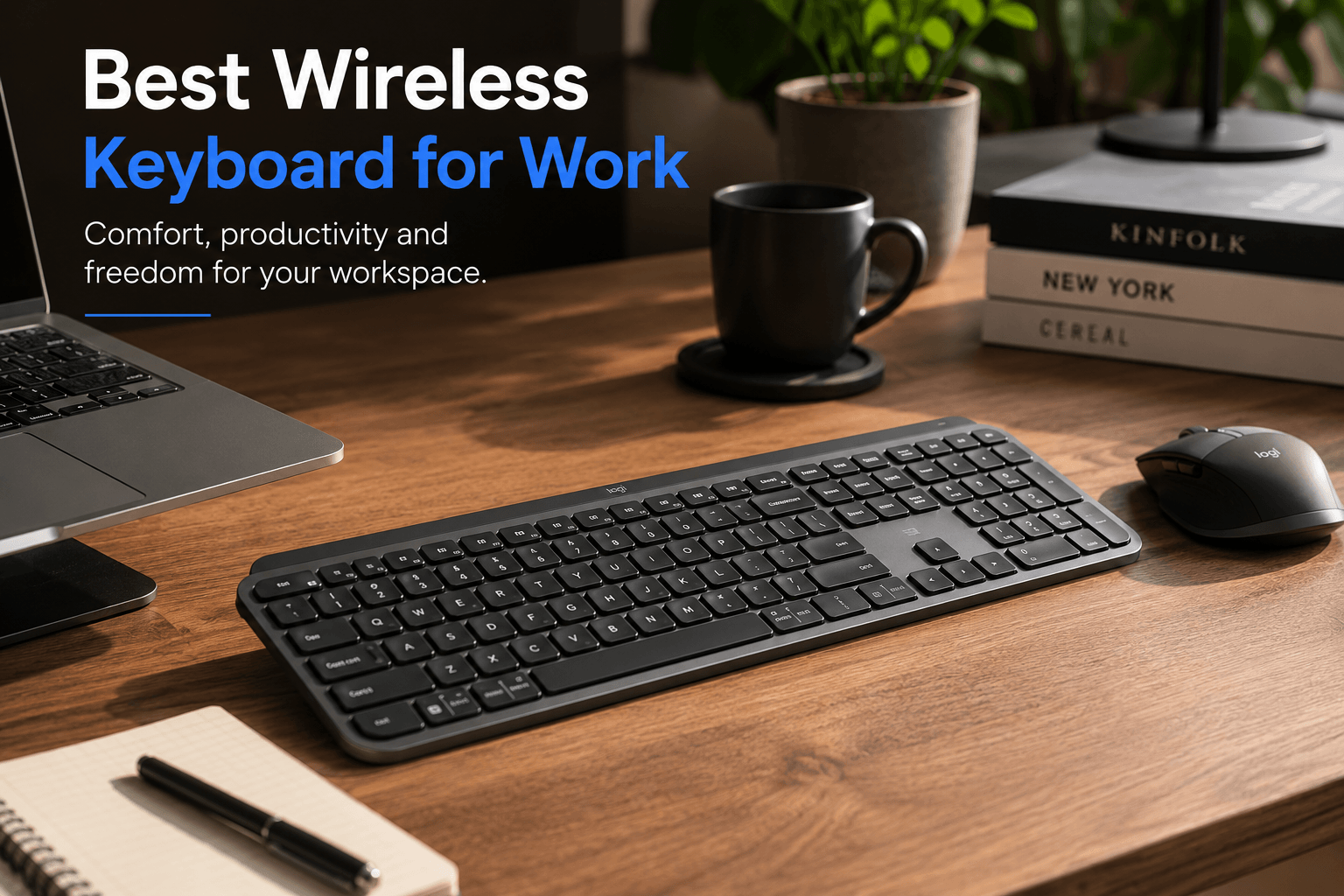
The Fast Answer
For most people, the best wireless keyboard for work is the Logitech MX Keys S. It is quiet, comfortable, full-size, easy to use across devices, and built for real productivity instead of gaming hype. If you want a safe work keyboard for documents, email, spreadsheets, calls, and everyday desk use, start there.
Choose the NuPhy Air75 V2 if you want a compact low-profile mechanical option. Choose the Keychron B1 Pro if you want a slim, quiet, budget-friendly work board. Choose the Keychron K3 Max if you want low-profile mechanical customization. Choose the Logitech Pebble Keys 2 K380s for cheap portable typing. Choose the Keychron K8 Pro if you want a wireless TKL mechanical keyboard for work and coding.
Want the safest keyboard for your actual work setup?
Keyboard Finder helps you compare layout, switch feel, noise level, connection, size, budget, and use case. It is the fastest way to narrow down the best wireless keyboard for work without guessing from product photos.
Get my keyboard match → Takes about 30 seconds · No signup
Best Wireless Keyboard for Work – 2026 Picks
These picks are chosen for real work: typing comfort, quiet operation, multi-device use, layout practicality, portability, battery life, and everyday reliability. The best wireless keyboard for work should disappear into your workflow instead of making you think about the keyboard all day.
Logitech MX Keys S
Quiet full-size wireless keyboard for productivity and long workdays
Verdict: The best wireless keyboard for work for most people because it is quiet, comfortable, full-size, and easy to use across a serious desk setup.
- Best for: office work, spreadsheets, writing, email, productivity, and multi-device workflows.
- Why it works: quiet low-profile keys, full-size layout, smart backlighting, and a very polished work feel.
- Skip if: you want a mechanical keyboard or need a smaller board for limited desk space.

NuPhy Air75 V2
Compact low-profile wireless keyboard for work, travel and clean desks
Verdict: The best wireless keyboard for work if you want compact size, low-profile typing, mechanical feel, and enough keys for daily productivity.
- Best for: compact desks, hybrid work, laptop users, writing, coding, and mixed work/gaming setups.
- Why it works: 75% keeps arrows and function keys while saving desk space and keeping typing height low.
- Skip if: you need a numpad for spreadsheets or finance work every day.

Keychron B1 Pro
Ultra-slim 75% wireless keyboard for quiet office work and long battery life
Verdict: The best wireless keyboard for work if you want a slim, quiet, affordable office keyboard that still feels modern.
- Best for: office work, students, writing, shared rooms, and users who want a laptop-like feel.
- Why it works: slim profile, quiet typing, compact 75% layout, and simple daily usability.
- Skip if: you want mechanical switches or a full-size numpad.

Keychron K3 Max
Low-profile wireless mechanical keyboard with QMK/VIA support
Verdict: The best wireless keyboard for work if you want mechanical feel, low-profile comfort, and real customization in a compact work layout.
- Best for: coding, productivity, mechanical keyboard users, and work setups that also need customization.
- Why it works: compact 75% layout, low-profile mechanical switches, wireless support, and QMK/VIA flexibility.
- Skip if: you want the quietest possible scissor-switch office keyboard.

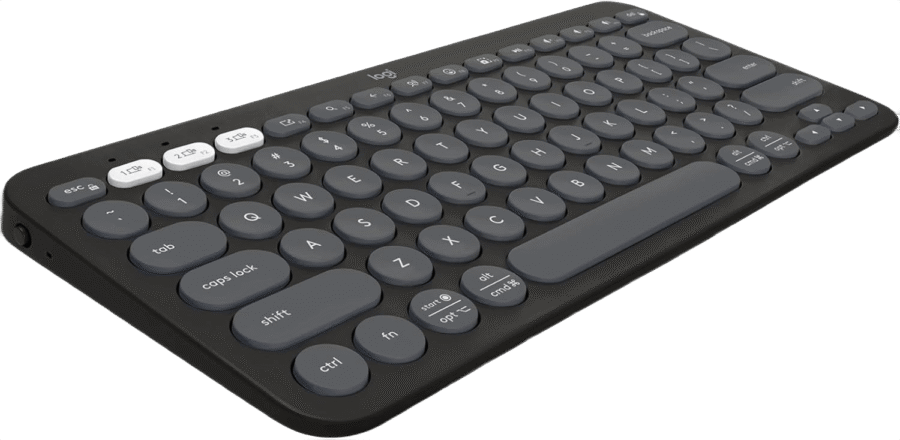
Logitech Pebble Keys 2 K380s
Compact Bluetooth keyboard for quiet portable work and laptop setups
Verdict: The best wireless keyboard for work if you want a cheap, quiet, portable keyboard for laptop work, school, cafés, or travel.
- Best for: portable work, students, quiet typing, tablets, laptops, and small workspaces.
- Why it works: compact size, quiet scissor keys, Bluetooth connection, and very easy daily portability.
- Skip if: you want full-size productivity keys, backlighting, or mechanical switches.
Keychron K8 Pro
Wireless TKL mechanical keyboard for coding, typing and mixed work setups
Verdict: The best wireless keyboard for work if you want a familiar TKL layout, mechanical typing, and stronger customization than standard office keyboards.
- Best for: coding, writing, office work, mechanical keyboard fans, and users moving down from full-size.
- Why it works: TKL keeps function keys, arrows, and navigation keys while removing the numpad.
- Skip if: you need the smallest possible footprint or a very quiet scissor-switch board.

Still choosing between full-size, compact and TKL?
Use Keyboard Finder to match your work style with the right layout, typing feel, noise level and wireless setup.
Find my best keyboard → Better than guessing from product photos
Wireless Keyboard for Work Comparison
The best wireless keyboard for work depends on whether you care most about quiet typing, numpad access, compact size, portability, or mechanical feel.
| Keyboard | Best for | Size | Typing feel | Why it stands out |
|---|---|---|---|---|
| Logitech MX Keys S | Best overall work keyboard | Full-size | Quiet scissor | Polished productivity feel and numpad access |
| NuPhy Air75 V2 | Best compact work keyboard | 75% | Low-profile mechanical | Compact layout with real daily key access |
| Keychron B1 Pro | Best budget office pick | 75% | Quiet scissor | Ultra-slim work feel at a lower price |
| Keychron K3 Max | Best mechanical work pick | 75% | Low-profile mechanical | QMK/VIA customization in a slim work layout |
| Logitech Pebble Keys 2 K380s | Best portable cheap pick | Compact | Quiet scissor | Easy laptop, tablet and travel keyboard |
| Keychron K8 Pro | Best TKL mechanical work pick | TKL | Tactile mechanical | Familiar layout with hot-swap and QMK/VIA |
What Matters in a Wireless Keyboard for Work?
Work keyboards are different from gaming keyboards. For office work, you should care about comfort, noise, layout, battery, and multi-device support first. The best wireless keyboard for work should make daily tasks easier: typing emails, switching devices, editing documents, joining calls, writing notes, and working for hours without fatigue.
Quiet typing
Quiet switches matter for offices, shared rooms, calls, and late-night work. Scissor and low-profile switches are often safer than loud mechanical switches.
Reliable connection
A work keyboard should connect quickly and stay connected. Bluetooth is flexible, while dongles can feel more stable for fixed desk setups.
Useful layout
Full-size is best for spreadsheets. 75% is great for compact desks. TKL is strong for coding and document navigation.
Comfort over long sessions
Low-profile keys, good spacing and stable key feel matter more than flashy features when you type for hours.
How to Choose the Best Wireless Keyboard for Work
Start with your layout needs. If you use spreadsheets every day, full-size is usually worth it. If you mostly write, email, browse, code, and use productivity apps, 75% or TKL can feel cleaner. The best wireless keyboard for work is the one that matches your work style before anything else.
Choose full-size if you use numbers
- Best for spreadsheets, finance, data entry and accounting.
- Gives you the numpad without shortcuts.
- Strong pick: Logitech MX Keys S.
Choose 75% if you want compact productivity
- Keeps function keys and arrows.
- Saves desk space compared with full-size and TKL.
- Strong picks: NuPhy Air75 V2, Keychron B1 Pro and Keychron K3 Max.
Choose compact if you move around
- Best for laptop bags, cafés, tablets and small desks.
- Usually cheaper and lighter.
- Strong pick: Logitech Pebble Keys 2 K380s.
Choose TKL if you code or navigate a lot
- Keeps arrow keys, function row and navigation cluster.
- Feels familiar if you come from full-size.
- Strong pick: Keychron K8 Pro.
Scissor vs mechanical for work
Scissor-switch keyboards are usually quieter, slimmer, and easier for office work. Mechanical keyboards feel more customizable and satisfying, but they can be louder and taller. The best wireless keyboard for work can be either one: choose scissor for simple quiet productivity, and mechanical if you care more about feel and customization.
Do not overbuy gaming features
RGB, ultra-fast polling and gaming software are not the main priorities for work. For productivity, reliable wireless, good key feel, quiet typing, layout fit and battery life matter more. A keyboard that feels calm and consistent is usually better than one built only around speed.
Which Wireless Work Keyboard Should You Pick?
If you want the safest overall pick
Choose the Logitech MX Keys S. It is quiet, full-size, polished, and built for real productivity work.
If you want compact comfort
Choose the NuPhy Air75 V2. It is compact, low-profile, wireless, and much easier to fit into a modern desk setup.
If you want budget office value
Choose the Keychron B1 Pro. It gives you a slim, quiet, practical wireless work keyboard without premium pricing.
If you want mechanical feel
Choose the Keychron K3 Max. It is low-profile, mechanical, customizable, and strong for work plus typing-heavy days.
If you want portable simplicity
Choose the Logitech Pebble Keys 2 K380s. It is small, quiet, cheap, and easy to use with laptops or tablets.
If you want TKL for work
Choose the Keychron K8 Pro. It is the strongest pick if you want a familiar layout with mechanical flexibility.
Common Wireless Work Keyboard Mistakes
- Buying full-size by habit: full-size is great if you need the numpad, but too wide if you do not.
- Ignoring noise: loud switches can become annoying fast in offices, shared rooms and video calls.
- Choosing tiny layouts too quickly: compact is good, but missing keys can slow work down.
- Overpaying for gaming features: work needs comfort, layout and reliability more than RGB.
- Forgetting device switching: the best wireless keyboard for work should handle your laptop, desktop, tablet or work machine smoothly.
FAQ – Best Wireless Keyboard for Work
Quick answers before choosing the best wireless keyboard for work for your desk.
What is the best wireless keyboard for work overall?
The Logitech MX Keys S is the best overall pick here because it is quiet, comfortable, full-size, reliable, and built specifically for productivity.
What is the best compact wireless keyboard for work?
The NuPhy Air75 V2 is the best compact pick if you want a premium low-profile keyboard. The Keychron B1 Pro is better if you want a cheaper quiet work keyboard.
Are mechanical keyboards good for work?
Yes, mechanical keyboards can be excellent for work if you like the feel and choose a switch that is not too loud. Keychron K3 Max and Keychron K8 Pro are good options if you want mechanical feel with wireless support.
Should I choose full-size, 75% or TKL for work?
Choose full-size if you use the numpad every day. Choose 75% if you want compact productivity. Choose TKL if you want a familiar layout with arrows and navigation keys but no numpad.
What is the best quiet wireless keyboard for work?
Logitech MX Keys S is the best quiet full-size pick. Keychron B1 Pro and Logitech Pebble Keys 2 K380s are strong quiet options if you want a smaller or cheaper keyboard.
Is Bluetooth good enough for work keyboards?
Yes, Bluetooth is usually good enough for work, writing, browsing and office tasks. A USB receiver or dongle can still be better if you want the most stable fixed-desk setup.
Bottom Line
The best wireless keyboard for work is the keyboard that fits your workflow, not just your desk aesthetic. Choose the Logitech MX Keys S for the safest overall productivity pick, the NuPhy Air75 V2 for compact low-profile comfort, the Keychron B1 Pro for budget office value, the Keychron K3 Max for low-profile mechanical customization, the Logitech Pebble Keys 2 K380s for portable simplicity, or the Keychron K8 Pro for wireless TKL mechanical work.
Do not choose only by brand or looks. The right keyboard depends on layout, noise level, typing feel, device switching, battery, and desk space. Need a faster answer? Use Keyboard Finder.
Affiliate disclosure: As an Amazon Associate, Gripyx earns from qualifying purchases.
