
Mouse Size Chart: Find the Right Mouse for Your Hand
Use this mouse size chart to match your hand length to the right mouse size, then adjust for palm, claw, or fingertip grip. The goal is simple: avoid a mouse that feels cramped, oversized, or hard to control.
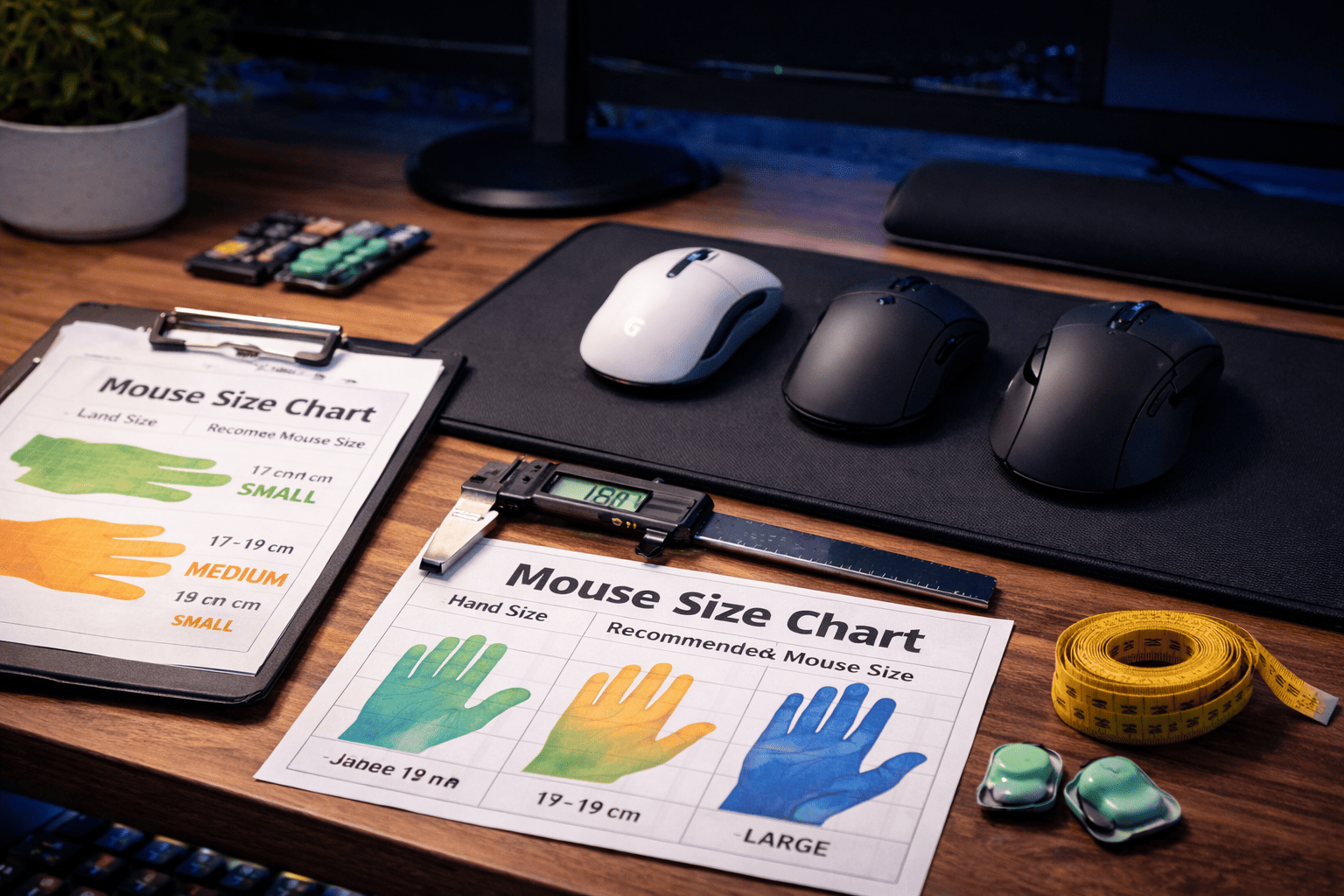
Quick Answer
- Under 17 cm: start with a small mouse.
- 17–19 cm: start with a medium mouse.
- 19–20.5 cm: start with a medium-large mouse.
- 20.5 cm and up: start with a large mouse.
Want the fastest fit check?
A mouse size chart gives the range. Mouse Finder narrows it down by hand length, grip style, use case, weight, connection, and budget.
Get my shortlist → Takes ~30 seconds
The Short Answer
The best mouse size is mainly based on hand length, but grip style changes the final answer. Smaller hands usually need shorter mice that are easier to lift and reposition. Medium hands can use the widest range of shapes. Large hands usually need more length, height, or rear support, especially for palm grip.
This mouse size chart is built as a practical fit guide, not a perfect rule. Treat it as your starting point, then adjust one step smaller for fingertip grip or one step larger for palm grip if the mouse feels cramped.
Simple rule: hand length chooses the size range.
Grip style chooses the final shape.
Comfort beats specs.
Mouse Size Chart by Hand Length
Use the mouse size chart below as your baseline. For most people, the safest fit is the row where your hand length lands naturally. If you are between sizes, choose by grip style instead of guessing.
Swipe sideways to see the full chart.
| Hand length | Likely fit | Mouse length to try | Best grip match | What it should feel like |
|---|---|---|---|---|
| Under 16.5 cm | Small | 110–120 mm | Claw / Fingertip | Easy to lift, easy to move, no forced finger stretch. |
| 16.5–17.5 cm | Small-medium | 115–123 mm | Claw / Fingertip / light palm | Compact, controlled, and not too narrow in the fingers. |
| 17.5–19 cm | Medium | 120–126 mm | Most grip styles | Balanced support without feeling bulky or cramped. |
| 19–20.5 cm | Medium-large | 124–129 mm | Palm / Claw | Enough shell contact for control, but still easy to reposition. |
| 20.5 cm and up | Large | 127–132+ mm | Palm / relaxed claw | Fuller support with less finger crowding and less hand tension. |
Choose the smaller row for fingertip grip, the middle row for claw grip, and the larger row for palm grip.
FPS players often prefer slightly smaller or lighter mice. MMO and office users can often go larger for comfort.
How to Measure Your Hand for a Mouse
Before using this mouse size chart, measure your hand length in centimeters. Put your hand flat, keep your fingers relaxed, and measure from the base of your palm to the tip of your middle finger.
Open your hand naturally
Do not stretch your fingers. Use the hand position you would actually have when resting on a mouse.
Measure palm base to fingertip
The key number is hand length. Hand width can matter, but length is the best first filter.
Match the chart, then adjust
Use the mouse size chart row, then move slightly smaller or larger if your grip needs more mobility or more support.
Not sure how to interpret your number? Use Mouse Finder and enter your hand length directly.
How Grip Style Changes Mouse Size
A mouse size chart becomes much more accurate when you combine it with grip style. The same 18.5 cm hand can need different mice depending on how much of the hand touches the shell.
Palm grip
Full hand contact. Choose the upper end of your size range if you want support under the palm.
Claw grip
Arched fingers. Start in the middle of your size range and focus on stable rear support.
Fingertip grip
Only fingertips touch. Choose the lower end of your size range if you want faster finger control.
Shape still matters. A tall ergonomic mouse and a flat ambidextrous mouse can both be medium-sized on paper, but feel completely different in the hand.
Real Mouse Examples by Size
These are not random product picks. They are reference points that show what small, medium, and large mouse fits can look like in real life. Use them after the mouse size chart, not before it.
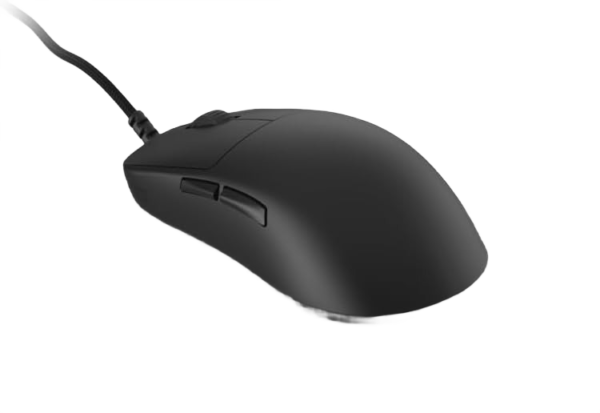
Endgame Gear OP1 8K (v2)
Best reference for small to medium hands
Fit note: A strong example if your hand is under 18 cm, or if you want a shorter shell for claw or fingertip grip.
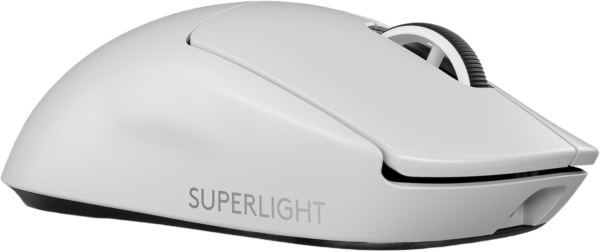
Logitech G PRO X Superlight 2
Best reference for the medium zone
Fit note: A safe example around 17–19 cm hands, especially for users who want a neutral gaming shape.
Razer DeathAdder V4 Pro
Best reference for large ergonomic fit
Fit note: A better example for large hands, palm grip, and users who want more shell support without a heavy feel.

Still between two sizes?
Use Mouse Finder before buying. It compares your hand length, grip style, primary use, connection, weight preference, brand, and budget.
Find my best match → Better than guessing from specs
Mouse Size by Use Case
The same mouse size chart can lead to different decisions depending on how you use the mouse every day.
FPS gaming
Small to medium is often easier to lift, flick, stop, and reset. Do not go tiny if it makes your grip tense.
MMO / MOBA
Medium to large can work well because comfort, stability, and button access matter more than pure flick speed.
Office work
Medium to large is usually safer for long sessions. Prioritize relaxed posture, scroll comfort, and support.
All-round use
Medium is the safest starting point if you split time between work, gaming, browsing, and general desktop use.
Common Mouse Size Mistakes
- Buying by hype: a popular mouse can still be the wrong size for your hand.
- Going too small for speed: small can feel agile, but cramped fingers hurt control.
- Going too large for comfort: large can support the palm, but too much shell can slow repositioning.
- Ignoring grip style: the same row on a mouse size chart can lead to different picks for palm, claw, and fingertip.
- Only reading dimensions: length matters, but hump height, side shape, and button reach matter too.
Related Guides
FAQ
Fast answers if you are using a mouse size chart before buying.
What mouse size do I need?
On this mouse size chart, under 17 cm usually points to small, 17–19 cm to medium, 19–20.5 cm to medium-large, and 20.5 cm and up to large.
Is a smaller mouse better for gaming?
Not always. Smaller mice can feel faster, especially for FPS, but they can also reduce comfort and control if your fingers feel crowded.
Should palm grip users choose a larger mouse?
Usually yes. Palm grip needs more hand contact, so palm users often do better on the upper end of their size range.
Can a mouse size chart tell me exactly what to buy?
A mouse size chart can give you the correct size range, but exact fit still depends on shape, grip style, weight, and use case. For a more specific answer, use Mouse Finder.
Bottom Line
A mouse size chart should make the choice easier, not more complicated. Start with your hand length, use grip style to adjust the size, and avoid buying only by brand, hype, or DPI. If your hand feels relaxed and your aim or cursor control feels repeatable, the size is probably right.
Need the fastest answer? Use Mouse Finder.
Affiliate disclosure: Gripyx may earn a commission through links on this page.
