
75% vs TKL Keyboard: Which Layout Should You Choose in 2026?
Choosing between a 75% vs TKL keyboard is one of the most important layout decisions for gaming, office work, coding, and desk comfort. Both layouts remove the numpad, but they feel very different in real daily use.
A 75% keyboard is more compact and keeps most important keys close together. A TKL keyboard feels more traditional, with more spacing and a familiar navigation cluster. This guide makes the 75% vs TKL keyboard choice simple.

The Fast Answer
Choose a 75% keyboard if you want the best balance of compact desk space and everyday key access. Choose a TKL keyboard if you want a more familiar layout with better-separated arrow and navigation keys.
For most people comparing a 75% vs TKL keyboard, 75% is the better modern choice for smaller desks, mixed work, gaming, and cleaner setups. TKL is better if you want a traditional feel, dedicated navigation cluster, or an easier transition from full-size.
Not sure which layout fits your setup?
Keyboard Finder helps you choose based on layout, use case, connection, switch feel, noise level, budget, and desk space. It is the fastest way to solve the 75% vs TKL keyboard question without guessing.
Get my keyboard match → Takes about 30 seconds · No signup
75% vs TKL Keyboard: Quick Comparison
The easiest way to compare a 75% vs TKL keyboard is to look at spacing, desk width, key access, and how often you use the navigation cluster.
| Factor | 75% Keyboard | TKL Keyboard | Winner |
|---|---|---|---|
| Desk space | More compact and mouse-friendly | Wider, but still smaller than full-size | 75% |
| Arrow keys | Included, usually closer to main keys | Included with more traditional spacing | TKL |
| Navigation keys | Usually compressed into fewer keys | Dedicated cluster is easier to read | TKL |
| Gaming | More mouse space and cleaner desk position | Familiar layout for players who use extra keys | 75% |
| Office work | Great if you do not use nav keys heavily | Better for editing, shortcuts, and navigation-heavy work | TKL |
| Learning curve | Can take time because key placement varies | Feels familiar if you come from full-size | TKL |
Which Should You Choose?
The short answer: choose 75% if you want a compact modern keyboard, and choose TKL if you want a familiar keyboard. The real 75% vs TKL keyboard decision comes down to whether you value desk space or key separation more.
Choose 75% if...
- You want more mouse space for gaming.
- You do not need a separated navigation cluster.
- You want a compact desk setup without going down to 65% or 60%.
- You like having function keys and arrows in a smaller footprint.
Choose TKL if...
- You want a layout that feels close to full-size.
- You use Insert, Delete, Home, End, Page Up, or Page Down often.
- You dislike cramped key clusters.
- You want fewer layout surprises between different keyboards.
Expert rule: if you are unsure, start with 75% for gaming and compact desks, and TKL for office work, coding, editing, or full-size muscle memory.
Best 75% and TKL Keyboard Picks
These picks show the best practical examples from both sides of the 75% vs TKL keyboard debate. The goal is not to list every keyboard, but to show the layouts that make the most sense for different users.
Keychron V1 Max
75% wireless mechanical keyboard with QMK/VIA, hot-swap, and strong all-round value
Verdict: The best 75% pick for most people because it gives you compact size, wireless support, customization, and everyday key access.
- Best for: gaming, office work, coding, and users who want one keyboard for everything.
- Why it works: it captures the main 75% advantage: compact width without giving up too many keys.
- Skip if: you want a more traditional TKL navigation cluster.

Keychron K8 Pro
Wireless TKL mechanical keyboard with hot-swap and QMK/VIA support
Verdict: The best TKL pick for most people who want a familiar layout, strong typing feel, and reliable wireless use.
- Best for: users moving from full-size, office work, coding, and mixed gaming.
- Why it works: it keeps the traditional TKL feel while still removing the numpad.
- Skip if: you want the smallest possible desk footprint.

NuPhy Air75 V2
Low-profile 75% wireless keyboard for compact comfort and daily use
Verdict: The best 75% option if you want lower typing height, easier reach, and a portable layout.
- Best for: small hands, office work, travel setups, laptop users, and mixed use.
- Why it works: it makes the 75% layout feel even easier to reach thanks to low-profile keys.
- Skip if: you want a taller traditional mechanical keyboard.

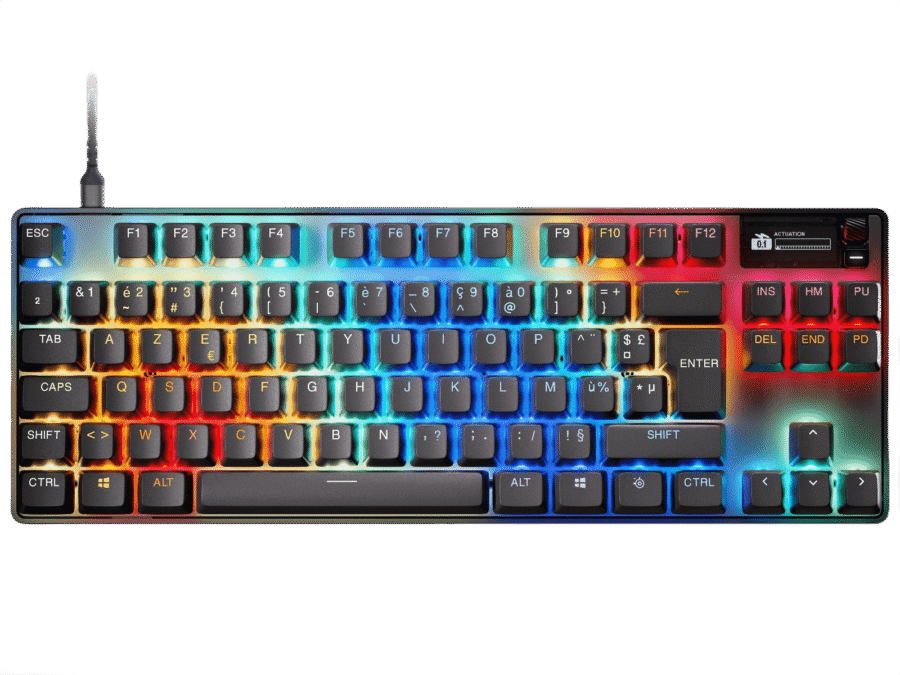
SteelSeries Apex Pro TKL
Esports-focused TKL keyboard with adjustable switches and fast gaming response
Verdict: The best TKL option if gaming performance matters more than saving every centimeter of desk space.
- Best for: competitive gaming, fast response, and players who prefer a separated TKL layout.
- Why it works: it gives TKL familiarity with high-end gaming speed.
- Skip if: you want a quieter office keyboard or a compact 75% footprint.
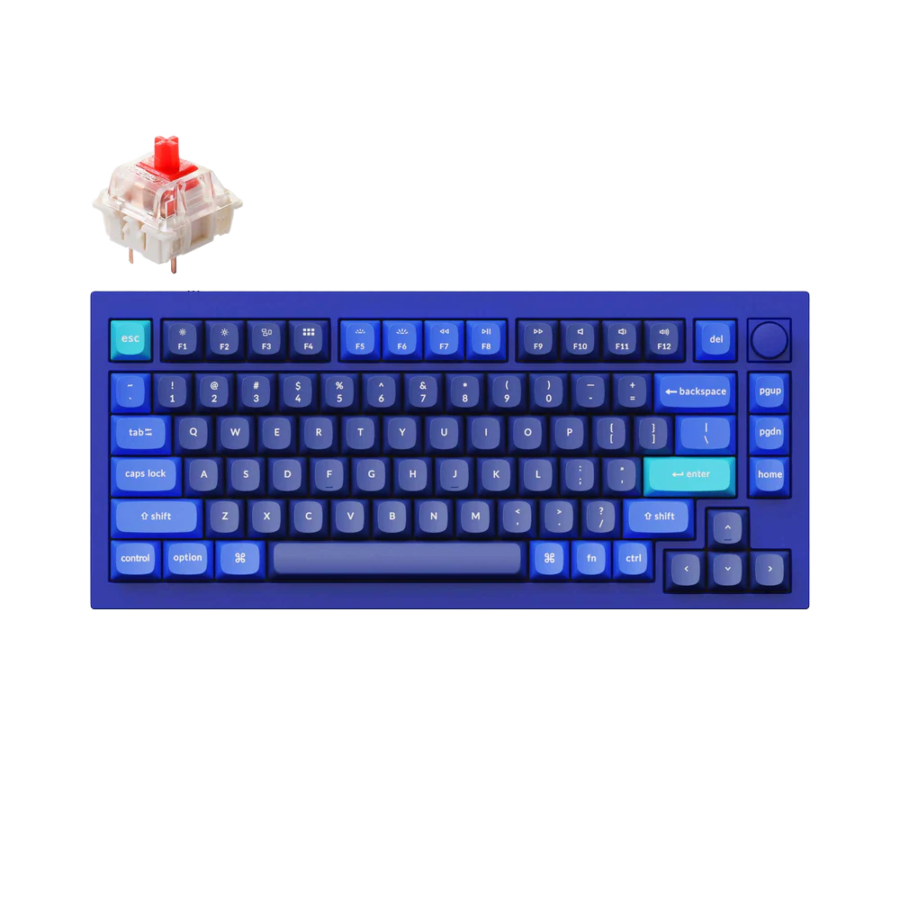
Keychron Q1 (Knob Version)
Premium wired 75% keyboard with aluminum build, knob, hot-swap, and QMK/VIA
Verdict: The best premium 75% choice if you want custom-keyboard feel with a compact but practical layout.
- Best for: typing feel, custom setups, coding, and users who want a heavier premium board.
- Why it works: it shows why 75% is popular: compact, premium, and still usable every day.
- Skip if: you need wireless or a lighter portable keyboard.
Keychron K1 Max
Low-profile TKL keyboard with wireless support, QMK/VIA, and quieter daily typing
Verdict: The best TKL choice if you want the familiar TKL layout but prefer lower key height and easier typing.
- Best for: office work, coding, mixed use, and users who like TKL but dislike tall keyboards.
- Why it works: it keeps the TKL structure while making typing feel flatter and lighter.
- Skip if: your main priority is maximum desk space.

Still deciding between 75% and TKL?
Use Keyboard Finder to compare layout, connection, switches, noise level, and budget in one place.
Find my best keyboard → Better than guessing from layout names
75% vs TKL Keyboard by Use Case
For gaming
Choose 75% if you want more mouse space. Choose TKL if you use extra navigation keys in-game or prefer a wider, more familiar layout.
For office work
Choose TKL if you use navigation keys often. Choose 75% if your work is mostly typing, browser tabs, email, and general productivity.
For coding
Choose TKL if you rely on Home, End, Page Up, and Page Down. Choose 75% if you prefer a cleaner desk and can adapt to compact key placement.
For small desks
Choose 75%. The smaller footprint is the clearest advantage in the 75% vs TKL keyboard comparison.
For small hands
Choose 75% or low-profile 75%. The shorter reach can feel more comfortable than a wider TKL board.
For full-size users
Choose TKL. It removes the numpad but keeps the rest of the keyboard familiar.
Pros and Cons
75% keyboard pros
- More compact than TKL.
- Better mouse space for gaming.
- Keeps function row and arrow keys.
- Great balance for modern desks.
75% keyboard cons
- Key placement varies more between models.
- Navigation keys can feel cramped.
- Can take longer to adjust from full-size.
TKL keyboard pros
- More familiar than 75%.
- Better key separation.
- Dedicated navigation cluster.
- Easy transition from full-size.
TKL keyboard cons
- Wider than 75%.
- Less mouse space for low-sens gaming.
- Not as clean or compact on smaller desks.
Common Mistakes to Avoid
- Choosing 75% only because it looks cleaner: make sure you are comfortable with compressed navigation keys.
- Choosing TKL only out of habit: if you do not use the nav cluster much, 75% may feel better.
- Ignoring desk width: TKL is smaller than full-size, but still noticeably wider than 75%.
- Forgetting mouse position: compact keyboards can improve comfort by bringing the mouse closer.
- Assuming all 75% boards are the same: key placement varies, so check the exact layout before buying.
FAQ – 75% vs TKL Keyboard
Quick answers before choosing between a 75% vs TKL keyboard.
Is 75% better than TKL?
75% is better if you want more desk space, a cleaner setup, and a compact layout that still keeps arrows and function keys. TKL is better if you want a more familiar layout with separated navigation keys.
Is TKL better for gaming than 75%?
Not always. 75% is often better for gaming because it gives more mouse space. TKL can be better if you use extra keys often or prefer the wider traditional layout.
Does a 75% keyboard have arrow keys?
Yes. Most 75% keyboards include arrow keys and a function row. The main difference is that the keys are packed closer together than on a TKL keyboard.
Does a TKL keyboard have a numpad?
No. TKL means tenkeyless, so it removes the numpad while keeping the function row, arrow keys, and navigation cluster.
Which is better for small hands: 75% or TKL?
75% is usually better for small hands because it reduces side reach and brings the mouse closer. A low-profile 75% keyboard can be even easier to use if tall keyboards feel tiring.
What is the best 75% keyboard for most people?
The Keychron V1 Max is the best 75% pick here for most people because it offers wireless support, hot-swap, QMK/VIA, and a practical compact layout.
What is the best TKL keyboard for most people?
The Keychron K8 Pro is the best TKL pick here for most people because it keeps the familiar TKL layout while adding wireless support, hot-swap, and QMK/VIA.
Bottom Line
The 75% vs TKL keyboard choice is mostly about compactness versus familiarity. Choose 75% if you want more mouse space, a cleaner desk, and a modern compact layout. Choose TKL if you want a more familiar layout, separated navigation keys, and an easier move away from full-size.
For most modern setups, 75% is the better everyday balance. For users who edit, code, navigate documents heavily, or dislike cramped layouts, TKL is still the safer choice. Need a faster answer? Use Keyboard Finder.
Affiliate disclosure: As an Amazon Associate, Gripyx earns from qualifying purchases.
