
Best Office Mouse 2026: Comfort, Scrolling & Productivity Picks
The best office mouse should make work feel easier, not more complicated. For office use, the real upgrade is not extreme DPI or gaming specs. It is comfort, scroll control, quiet clicks, useful buttons, and a shape that fits your hand through long workdays. This guide gives you a focused shortlist of the best office mouse options for productivity, wrist comfort, laptop work, travel, and all-day desk use.

Quick Office Mouse Check
- Best overall: Logitech MX Master 3S for comfort, scrolling, and productivity.
- Best for wrist comfort: Logitech Lift Vertical if a normal mouse makes your wrist tense.
- Best compact pick: Logitech MX Anywhere 3S for laptop, travel, and smaller desks.
- Main rule: choose the mouse that feels effortless after two hours, not the one with the biggest spec sheet.
Skip the endless office mouse lists
Mouse Finder helps you find the best office mouse for your real setup: hand size, grip style, connection, weight, budget, and whether you care most about comfort, travel, or productivity.
Get my office shortlist → Takes ~30 seconds · No signup
The Short Answer
For most people, the best office mouse in 2026 is the Logitech MX Master 3S. It has the best mix of all-day comfort, fast scrolling, useful productivity buttons, quiet clicks, and reliable wireless performance. It is the safest premium pick if you work in documents, spreadsheets, browser tabs, design tools, research workflows, or multi-monitor setups.
That said, the best office mouse is not the same for everyone. If wrist comfort matters most, choose the Logitech Lift Vertical. If you travel or work mostly from a laptop, choose the Logitech MX Anywhere 3S. If you want a quieter value pick, the Logitech Signature M650 makes more sense. If you want to reduce desk movement, the Logitech MX Ergo S is the trackball option to consider.
Expert rule: for office work, shape and scroll quality matter more than DPI.
Fastest route: use Mouse Finder if you want a fit-based recommendation instead of guessing from brand names.
Best Office Mouse Picks 2026
These picks are intentionally focused. The goal is not to list every decent office mouse. The goal is to help you choose the best office mouse for the way you actually work: long desk sessions, quiet office use, wrist comfort, laptop work, travel, or tight desk space.
| Mouse | Best for | Weight | Length | Grip fit |
|---|---|---|---|---|
| Logitech MX Master 3S | Best overall office mouse | 141g | 125 mm | Palm |
| Razer Pro Click V2 | Best Logitech alternative | 110g | 126 mm | Palm / Claw |
| Logitech Lift Vertical | Best vertical comfort pick | 125g | 108 mm | Palm |
| Logitech MX Anywhere 3S | Best compact travel pick | 99g | 100 mm | Claw / Fingertip |
| Logitech Signature M650 | Best quiet value pick | 101g | 108 mm | Palm / Claw |
| Logitech MX Ergo S | Best trackball office mouse | 165g | 132 mm | Palm |
Logitech MX Master 3S
The safest premium office mouse for most people
Verdict: The best office mouse for comfort, scrolling, productivity buttons, and serious all-day desk work.
- Best for: documents, spreadsheets, research, design work, and multi-monitor setups.
- Why it works: ergonomic support, MagSpeed scrolling, quiet clicks, and strong workflow control.
- Skip if: you have small hands or want a compact travel mouse.

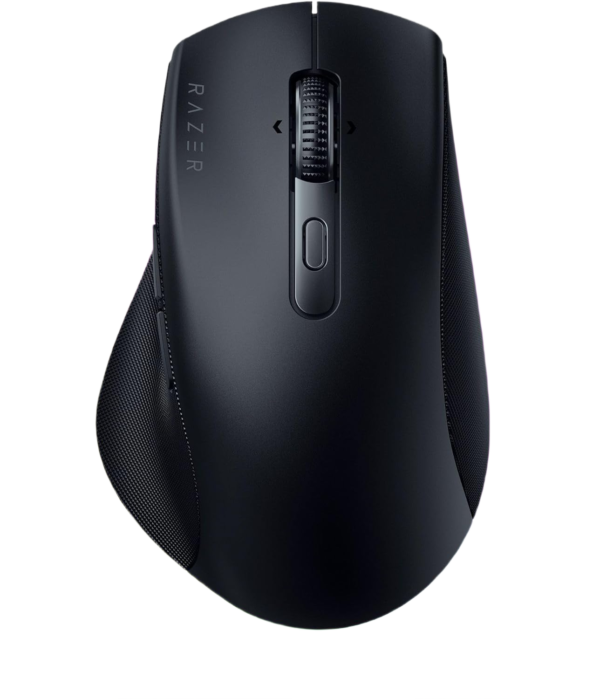
Razer Pro Click V2
A strong productivity mouse if you want a Logitech alternative
Verdict: A clean, ergonomic productivity mouse with strong buttons and a more modern pro-desk feel.
- Best for: Windows productivity, office workflows, horizontal scrolling, and palm/claw users.
- Why it works: comfortable shape, multiple buttons, dual-mode scroll, and multi-device practicality.
- Skip if: you want the classic MX Master scroll feel or a smaller laptop mouse.
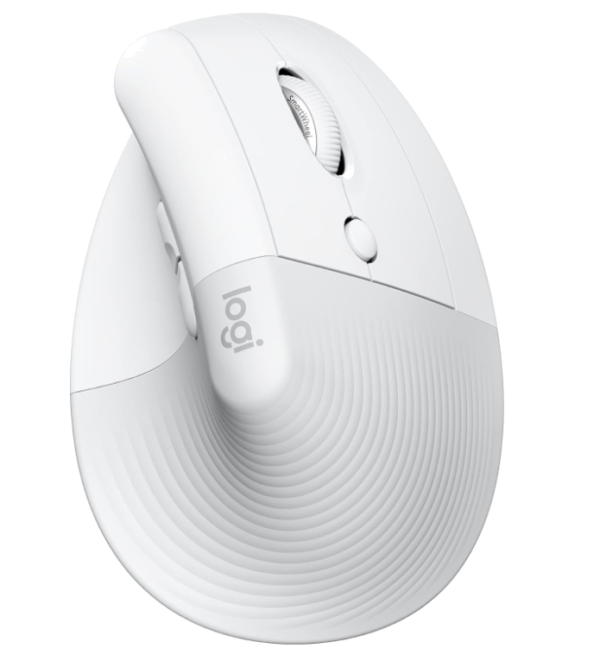
Logitech Lift Vertical
The easiest comfort upgrade for wrist tension
Verdict: The best office mouse if your wrist feels tense with normal flat mice.
- Best for: wrist comfort, small-to-medium hands, palm grip, and long daily sessions.
- Why it works: vertical angle, relaxed hand position, quiet feel, and easy office setup.
- Skip if: you dislike vertical mice or want a traditional shape for fast cursor work.
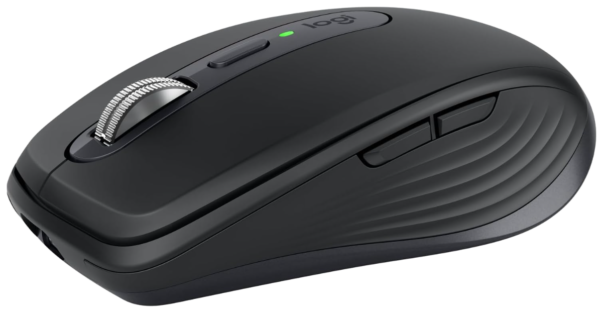
Logitech MX Anywhere 3S
Premium office feel in a smaller travel-friendly shape
Verdict: The best office mouse for laptop users who want premium scroll and control without a large shell.
- Best for: travel, hybrid work, cafés, small desks, and laptop-first setups.
- Why it works: compact size, MagSpeed scrolling, multi-device support, and easy portability.
- Skip if: you have large hands or want full palm support.
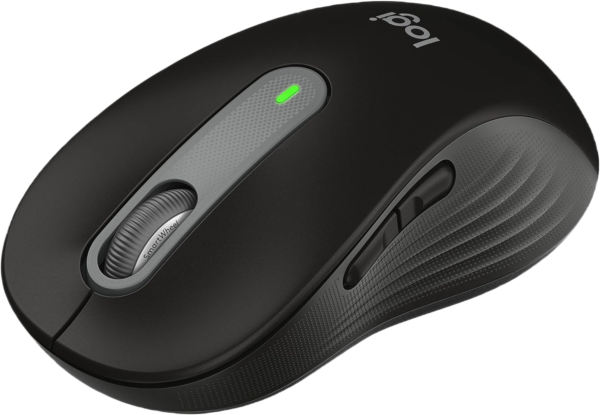
Logitech Signature M650
Quiet, comfortable, and simple enough for most offices
Verdict: The best office mouse for quiet everyday work if you want comfort without premium pricing.
- Best for: shared offices, home work, quiet clicking, browsing, email, and basic productivity.
- Why it works: quiet clicks, comfortable shape, SmartWheel scrolling, and strong value.
- Skip if: you need advanced workflow buttons or premium horizontal scrolling.
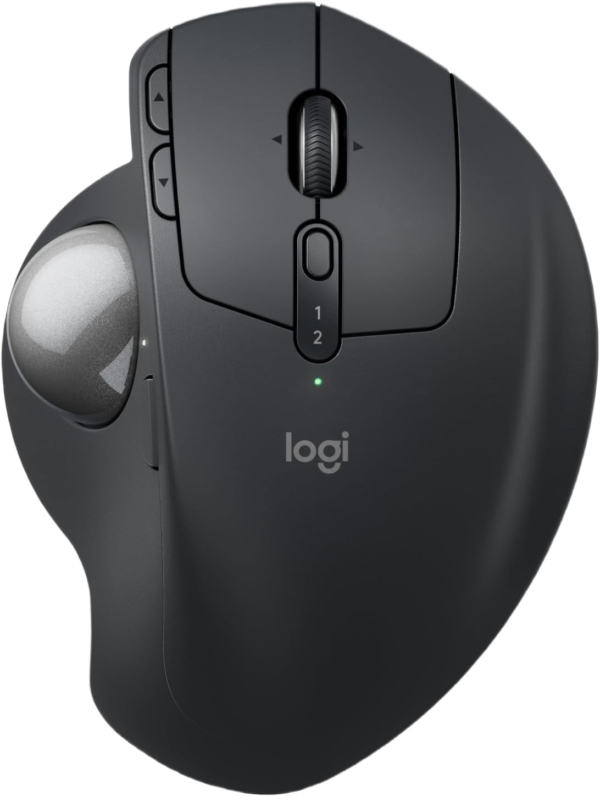
Logitech MX Ergo S
For tight desks, less arm movement, and trackball comfort
Verdict: The best office mouse alternative if you want cursor control without moving the whole mouse around.
- Best for: tight desks, wrist/arm comfort, spreadsheets, research, and stationary workflows.
- Why it works: thumb trackball, tilt support, quiet clicks, and less desk movement.
- Skip if: you want a normal mouse feel or do fast drag-and-drop work all day.
Still unsure which one fits?
Use Mouse Finder and choose Office. It narrows the list by hand size, grip style, weight, connection, and budget, so you do not buy a great mouse in the wrong size.
Get my office match → Better than guessing from reviews
How to Choose the Best Office Mouse
The easiest way to choose the best office mouse is to ignore gaming-style spec hype and focus on daily friction. Does the mouse support your hand? Does the scroll wheel make long documents easier? Are the buttons useful? Can you switch devices without annoyance? That is what matters for office work.
Choose comfort if you work long sessions
- Look for a shape that supports your palm without forcing your wrist angle.
- Choose a larger ergonomic mouse if your hand feels cramped.
- Good examples: Logitech MX Master 3S and Razer Pro Click V2.
Choose compact if you move around
- Look for a smaller wireless mouse that fits laptop bags and small desks.
- Compact mice usually work best for claw or fingertip grip.
- Good example: Logitech MX Anywhere 3S.
Comfort matters more than DPI
For office work, you rarely need extreme DPI. You need a mouse that lets your hand relax while still giving you accurate cursor control. The best office mouse should feel stable during small movements and comfortable after several hours. If your hand feels tense, the issue is usually size, shape, or grip match — not sensor quality.
Scroll quality is a real productivity feature
If you work in spreadsheets, long documents, research pages, code, dashboards, or PDFs, scroll quality matters every day. A good wheel can make the best office mouse feel faster than a cheaper mouse even if both have similar sensors. This is why MX-style productivity mice are so popular for office work.
Quiet clicks can matter more than you think
In shared spaces, meetings, late-night work, or home offices, quiet clicks make the mouse feel more premium and less distracting. If noise matters, the Logitech Signature M650 is a strong choice, while the MX Master 3S is the better premium pick.
Which Office Mouse Should You Pick?
If you want the safest premium pick
Choose the Logitech MX Master 3S. It is the best office mouse for most people who want comfort, scroll quality, and productivity controls.
If your wrist gets tired
Choose the Logitech Lift Vertical. It changes your hand angle and can feel more relaxed during long workdays.
If you work from a laptop
Choose the Logitech MX Anywhere 3S. It gives you premium productivity features in a smaller, travel-friendly shell.
If you want quiet value
Choose the Logitech Signature M650. It is simple, comfortable, quiet, and much easier to justify than a premium mouse.
Office Mouse Comfort: What Actually Prevents Fatigue?
Many people buy the best office mouse based on brand alone, then still get hand fatigue. Comfort comes from fit. If a mouse is too small, you pinch it. If it is too flat, your wrist may feel tense. If it is too large, your fingers may stretch and lose control.
- Small hands: consider Logitech Lift Vertical, MX Anywhere 3S, or Signature M650.
- Medium hands: MX Master 3S, Razer Pro Click V2, and Signature M650 are safe starting points.
- Large hands: MX Master 3S, Razer Pro Click V2, or MX Ergo S usually make more sense than compact mice.
- Wrist discomfort: try vertical or trackball shapes before buying another flat mouse.
Related: Mouse Size Guide and Mouse causing hand pain.
Wired or Wireless for Office Work?
For most people, the best office mouse is wireless. It keeps your desk cleaner, works better with laptops, and makes multi-device setups easier. If you move between a work laptop, personal laptop, and desktop, wireless is the obvious choice.
Wired still makes sense if you want the simplest possible setup and never want to think about batteries or charging. But for office work in 2026, wireless convenience usually wins. The only real warning is this: do not choose wireless only because it looks cleaner. The shape still has to fit your hand.
Common Office Mouse Mistakes
- Buying too small: compact mice are great for travel, but they can cause hand tension during full workdays.
- Ignoring scroll quality: a better wheel can save more time than extra DPI ever will.
- Choosing by brand only: the best office mouse for one person may be too large, too flat, or too heavy for another.
- Waiting too long to try vertical: if your wrist already hurts, a vertical mouse is worth testing.
- Overbuying features: if you only browse, email, and write, a quiet value mouse may be enough.
FAQ – Best Office Mouse
Quick answers before choosing the best office mouse for your setup.
What is the best office mouse overall?
The Logitech MX Master 3S is the best overall pick for most people because it combines comfort, fast scrolling, quiet clicks, productivity buttons, and reliable wireless performance.
What is the best office mouse for wrist pain?
The Logitech Lift Vertical is the best pick on this page for wrist comfort, especially for small-to-medium hands. A trackball like the Logitech MX Ergo S can also help if you want less arm movement.
Is a vertical mouse better for office work?
A vertical mouse can be better if a normal mouse makes your wrist feel tense. It changes your hand angle, which many people find more relaxed during long work sessions.
What is the best office mouse for Mac?
For most Mac users, the Logitech MX Master 3S or MX Anywhere 3S is a better productivity choice than a very flat mouse, especially if you want comfort, scrolling, and multi-device support.
What is the best quiet office mouse?
The Logitech Signature M650 is the best quiet value pick here. The Logitech MX Master 3S is the stronger premium option if you also want better scrolling and productivity controls.
How do I know which office mouse fits my hand?
Measure your hand length and choose based on grip style. The easiest shortcut is to use Mouse Finder, which filters office mice by hand size, grip style, connection, weight, brand, and budget.
Bottom Line
The best office mouse is the one that makes your normal work feel smoother. Choose the Logitech MX Master 3S if you want the safest premium pick. Choose the Logitech Lift Vertical if wrist comfort matters most. Choose the Logitech MX Anywhere 3S if you need a compact travel mouse. Choose the Logitech Signature M650 if you want quiet value. Choose the Logitech MX Ergo S if you want trackball comfort and less desk movement.
If you are still unsure, do not guess from product photos. Try Mouse Finder and get a shortlist based on your hand size, grip style, and office setup.
Need the fastest answer? Use Mouse Finder.
Affiliate disclosure: Gripyx may earn a commission through links on this page.
